 MakerSketch
Extrude and cut
Push a profile into a solid, or into the part to cut it away.
Extrude (push it up)
Tap a profile and an arrow appears. Drag the arrow to set how far it goes, or tap the value and type it. Tap Done to keep it.
capture: a profile tapped, its extrude arrow dragged upCut (push it in)
Drag the arrow into the part and the extrude turns into a cut. That is how you hollow a box or engrave a letter. You can also pick Add or Cut in the bar yourself; New lets the app decide from the direction.
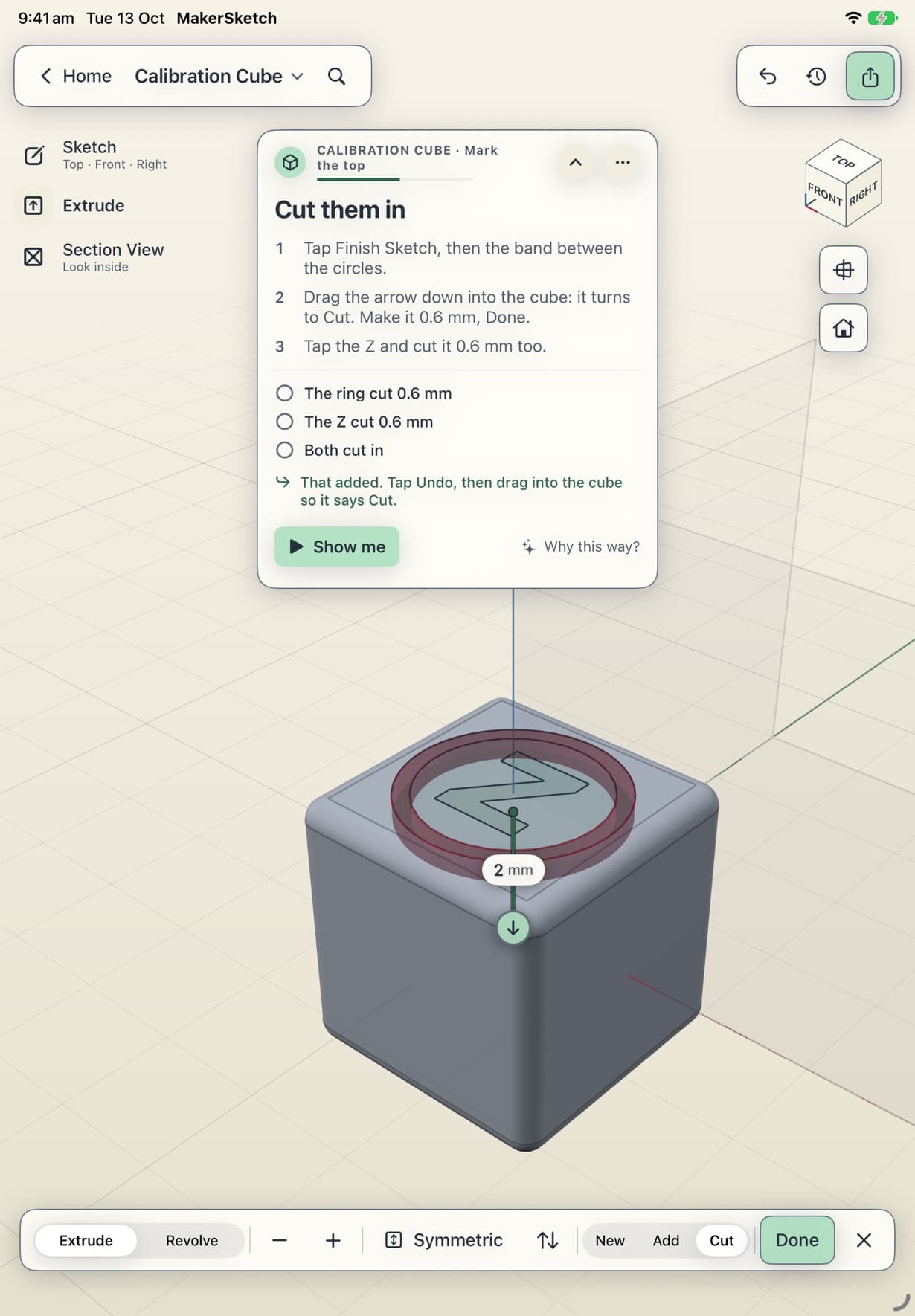
The bar at the bottom
- − and + nudge the value.
- Symmetric extrudes half each way; the value becomes the total thickness.
- Flip sends it the other way.
- Revolve spins the profile around the sketch's upright axis instead, for round things.
capture: the extrude bar: − +, Symmetric, Flip and Revolve
Stuck in the app?
In a project, tap Show me on the coach card to watch the step played out. Support has an email address if that doesn't do it.